Node.js는 자바스크립트를 브라우저 밖에서도 실행할 수 있게 해주는 런타임 환경입니다.
자바스크립트 하나로 프론트부터 서버까지 다 끝내고 싶고, 가볍고 빠른 실시간 서비스를 만들고 싶을 때" ➡️ Node.js를 선택
📦 npm (Node Package Manager)
Node.js를 설치하면 npm이라는 강력한 도구가 함께 따라옵니다.
전 세계 개발자들이 미리 만들어 놓은 코드 뭉치(패키지)들을 명령어 한 줄로 가져다 쓸 수 있게 해주는데, 이게 Node.js 생태계를 세계 최대 규모로 만든 일등 공신이다.
왜 Spring 대신 Node.js를 쓰는걸까?
- Spring은 매우 훌륭하고 안정적인 프레임워크지만, Node.js는 Spring이 갖지 못한 독보적인 '가벼움'과 '속도'가 있기 때문이다.
- Java: 언어
- Spring: 프레임워크
- JavaScript: 언어
- Node.js: 자바스크립트가 돌아가는 공간(환경)
🟡설치
Node.js — Run JavaScript Everywhere
Node.js® is a free, open-source, cross-platform JavaScript runtime environment that lets developers create servers, web apps, command line tools and scripts.
nodejs.org
1️⃣
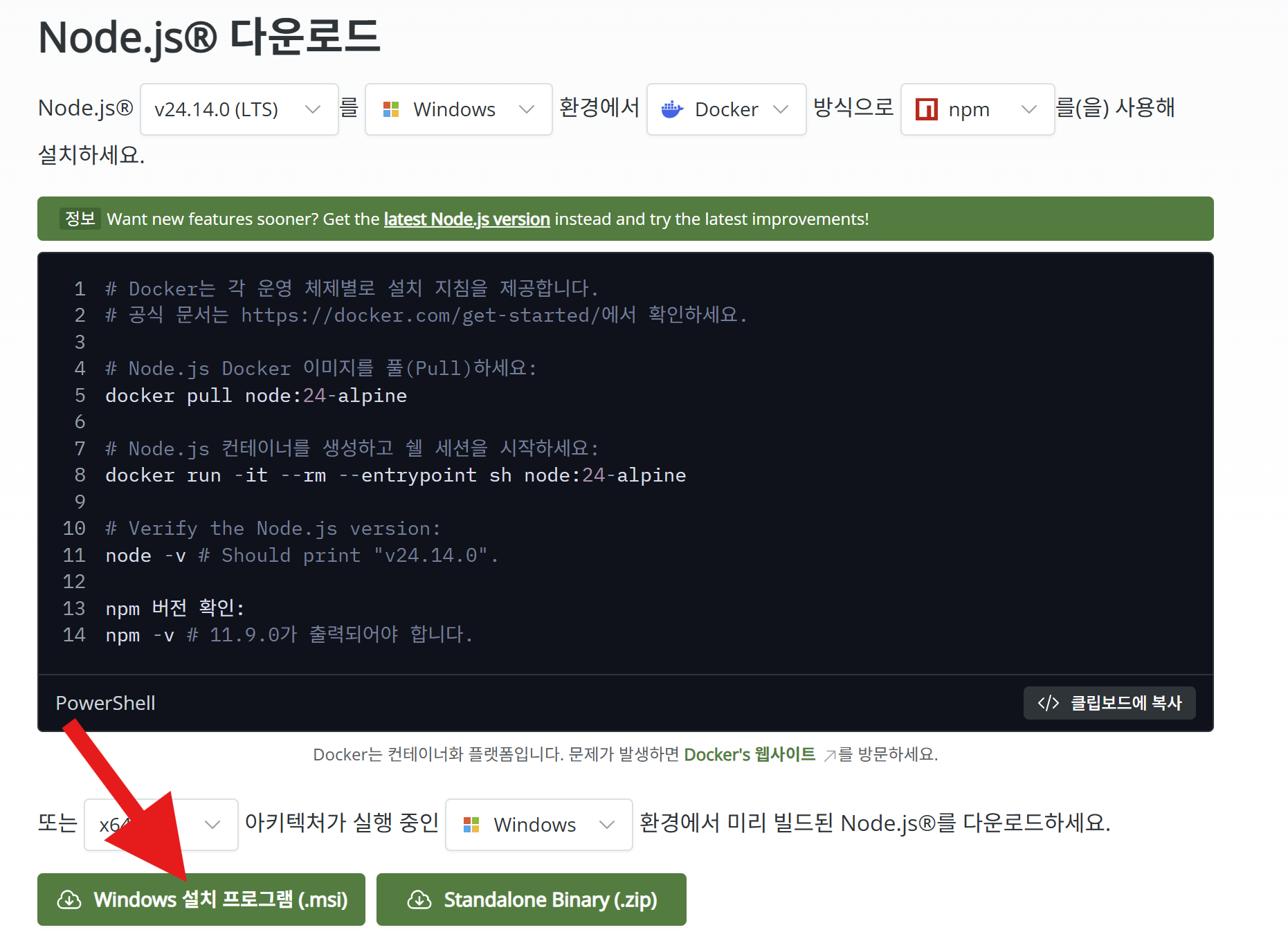
2️⃣
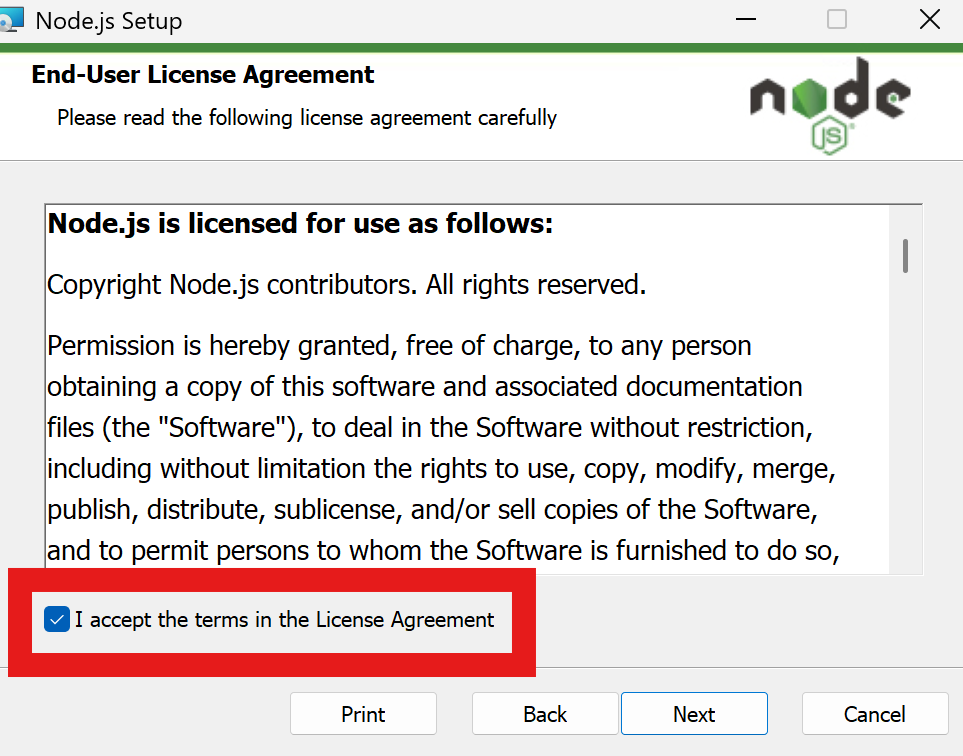
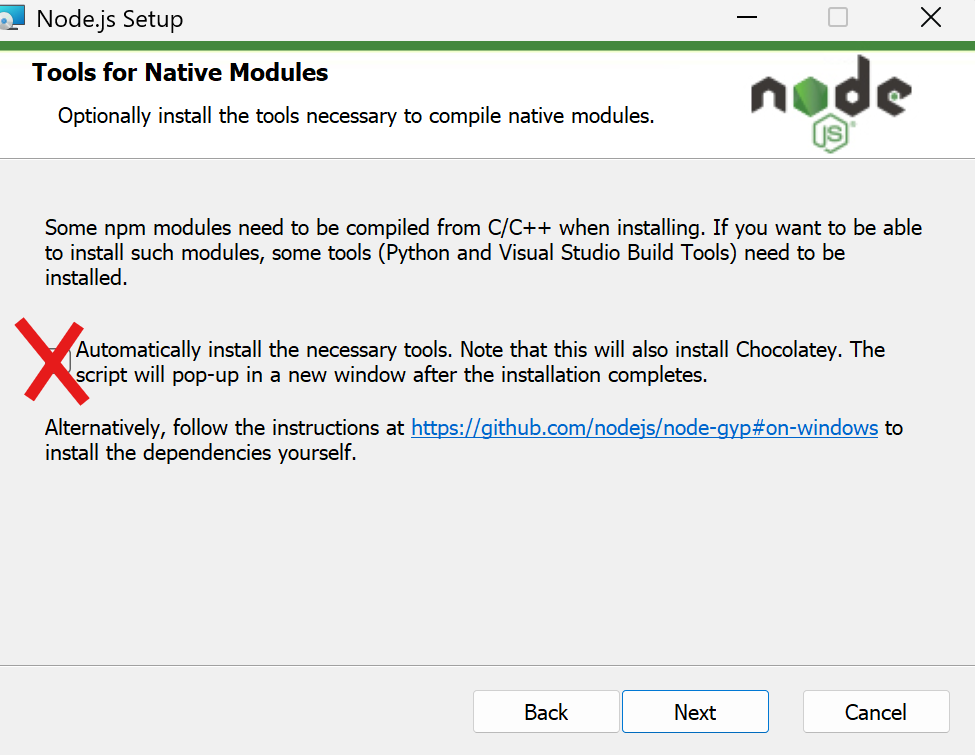
첫번 째는 체크를 해주고 두번 째는 체크 해도 되는데 저는 복잡해질 거 같아 체크하지 않았습니다
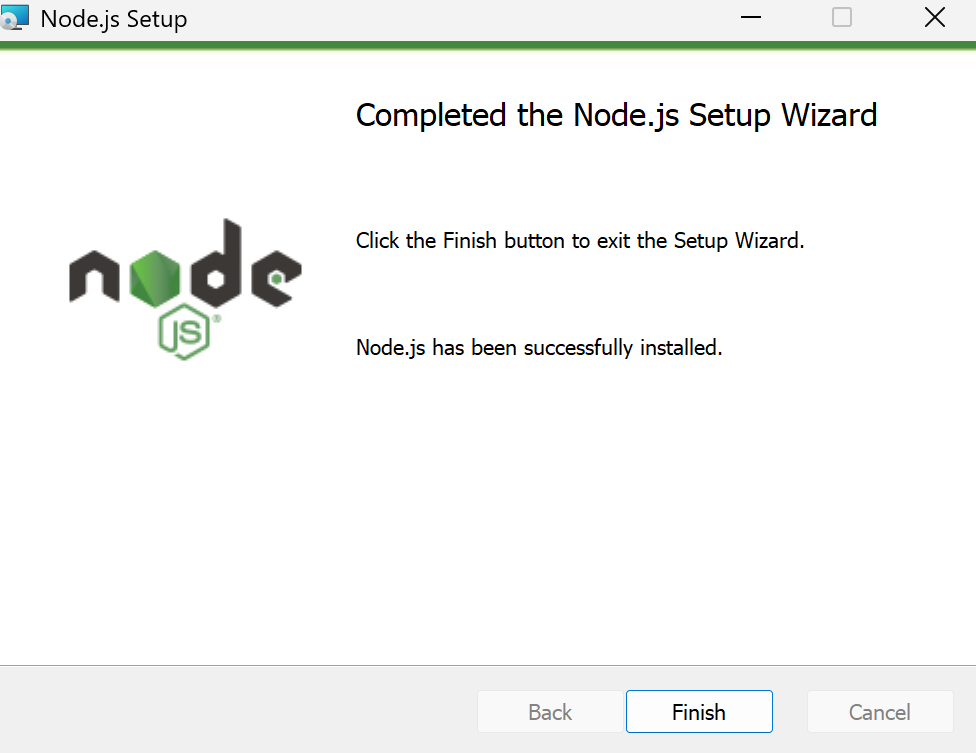
설치 완료 후 cmd 열기
node 입력 후 엔터
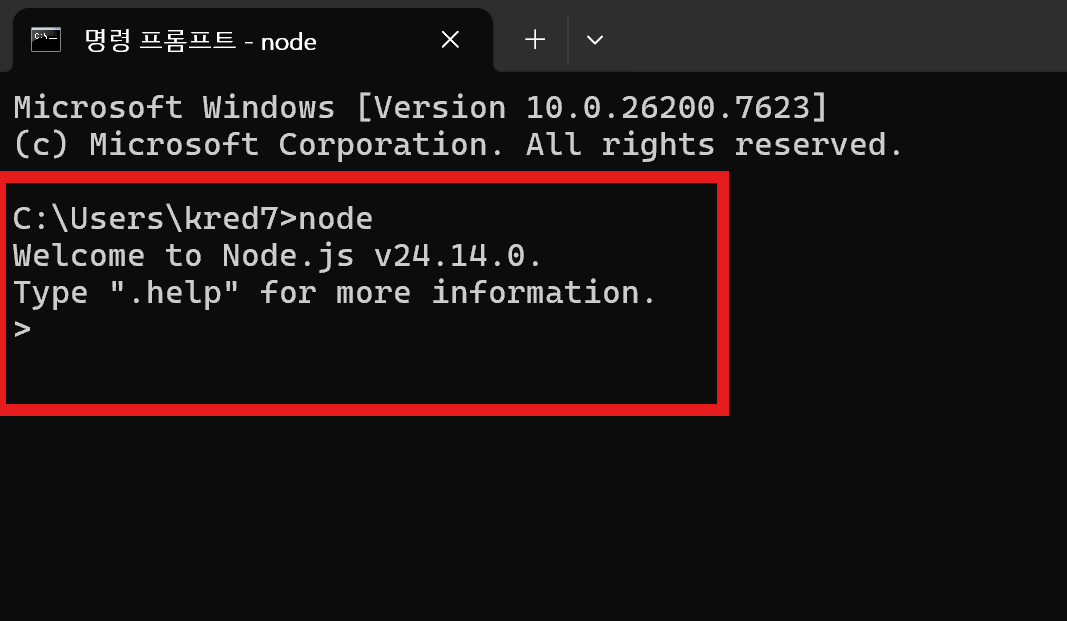
다음과 같은 프롬프트를 얻으면 설치가 완료
3️⃣
VS Code 다운로드 하기
Visual Studio Code - The open source AI code editor
Visual Studio Code redefines AI-powered coding with GitHub Copilot for building and debugging modern web and cloud applications. Visual Studio Code is free and available on your favorite platform - Linux, macOS, and Windows.
code.visualstudio.com
vs code 설치 해줍니다.
4️⃣
폴더 만들고 초기화하기
폴더 만들기 (ex | 폴더명:c:\nodejs\myContacts)
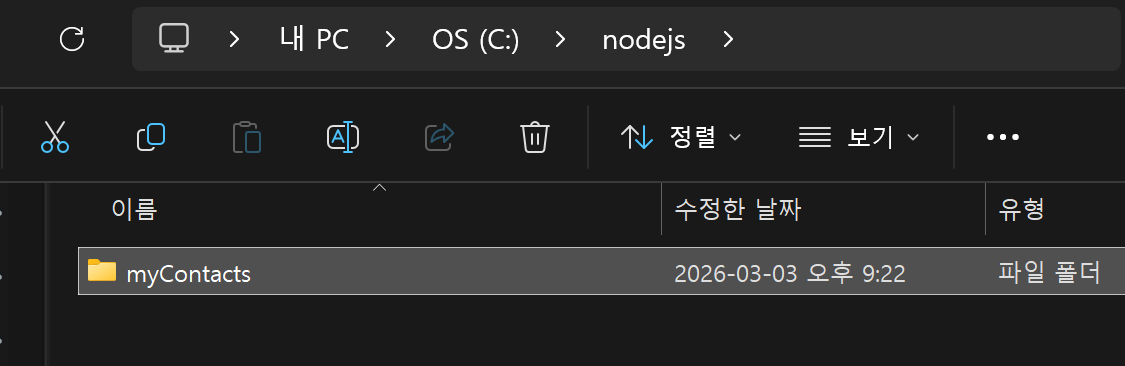
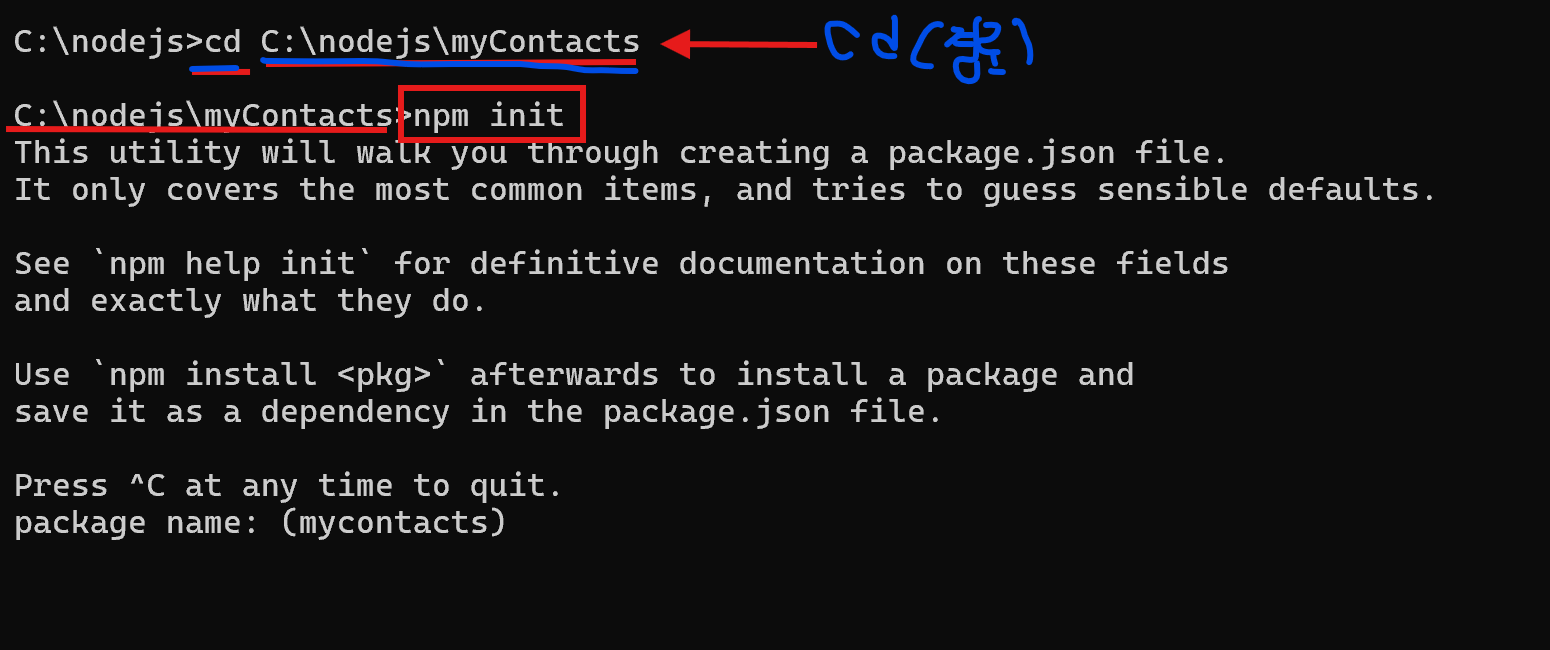
cmd 창을 열어서 다음을 입력
npm init (초기화하는 것)
(단 폴더 만들었던 경로로 설정해서 검색해주세요)
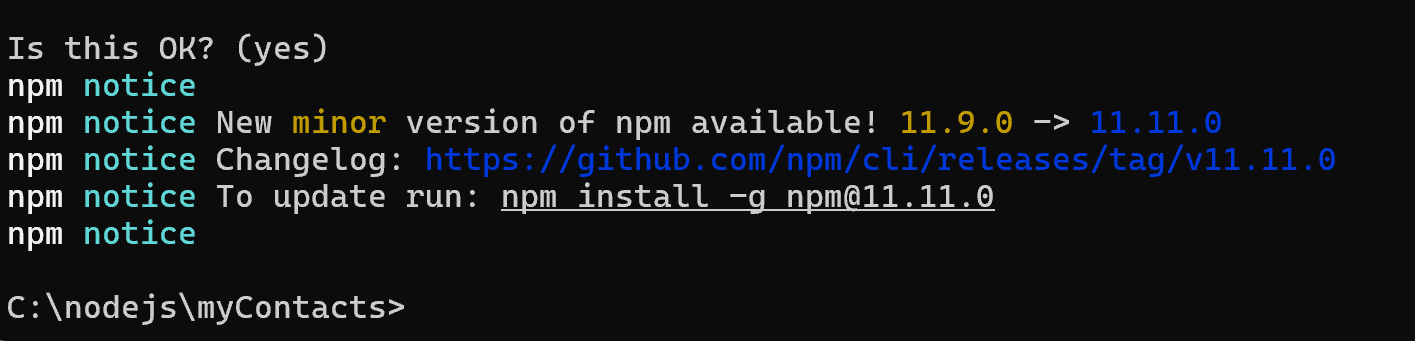
package name: contacts-manager등 아래와 같이 초기화하기
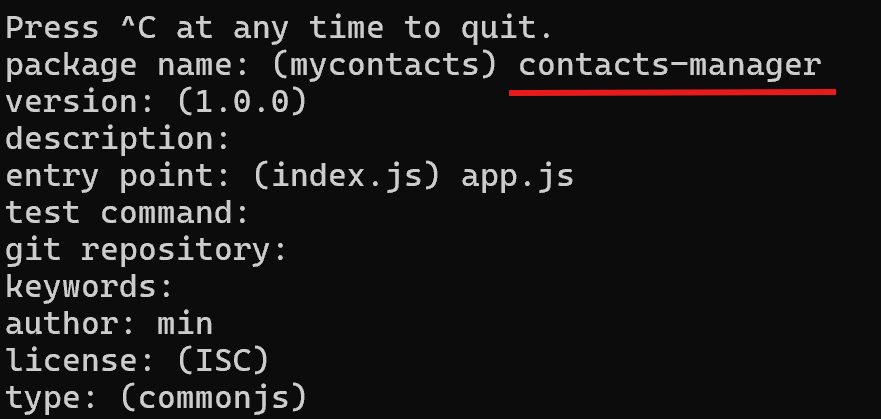
Is this OK? (yes) 에서 엔터 누르면 됩니다.
5️⃣
express 설치
npm install express

6️⃣
nodemon 설치
npm install nodemon -g --save-dev

🟠Node.js 실행
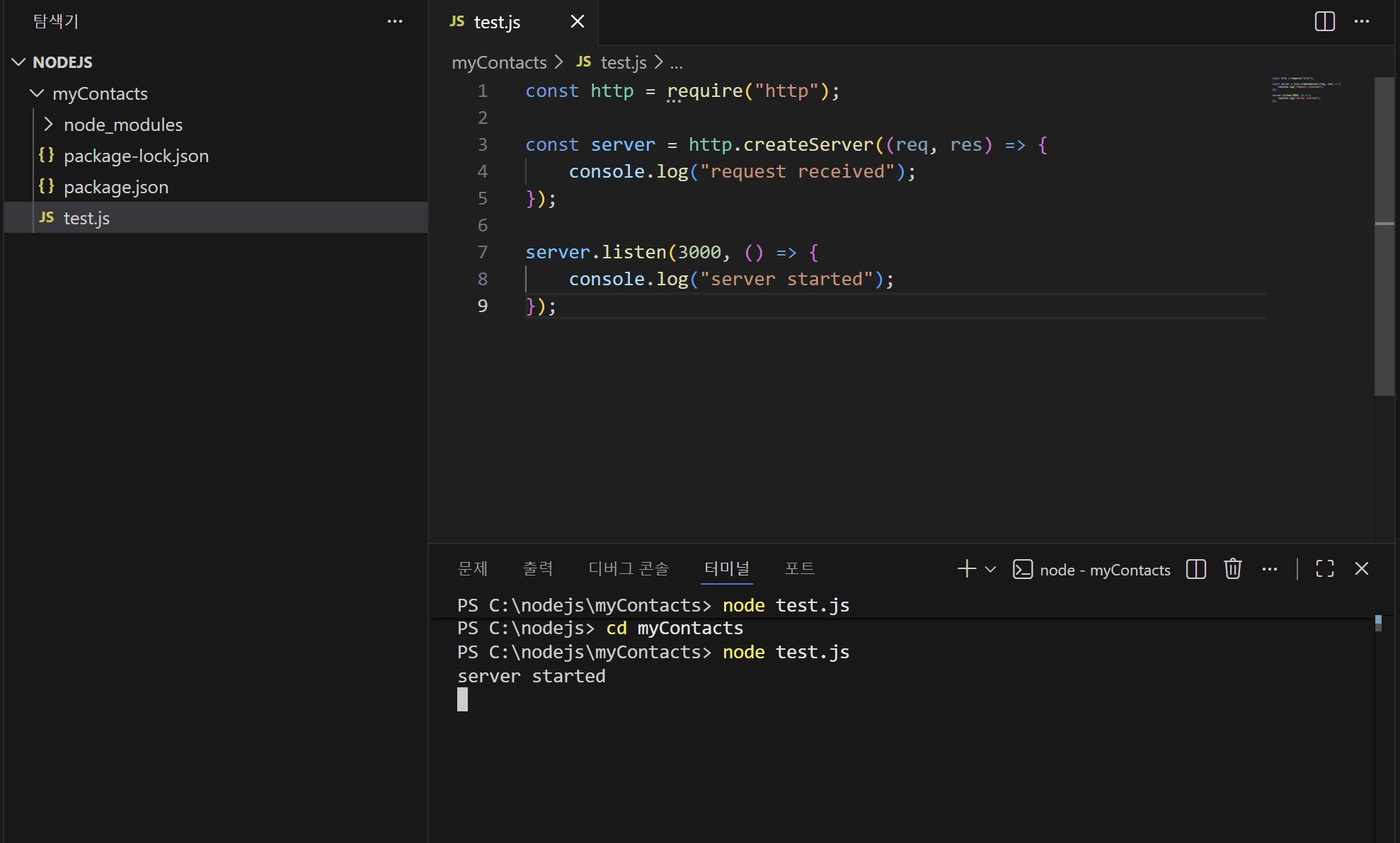
1. vscode를 열어 test.js 파일 만들기
2. 밑에 코드 붙여 넣기
const http = require("http");

const server = http.createServer((req, res) => {
    console.log("request received");
});

server.listen(3000, () => {
    console.log("server started");
});
3. 터미널 열어서
node test.js 입력
❌ 오류 해결 ❌
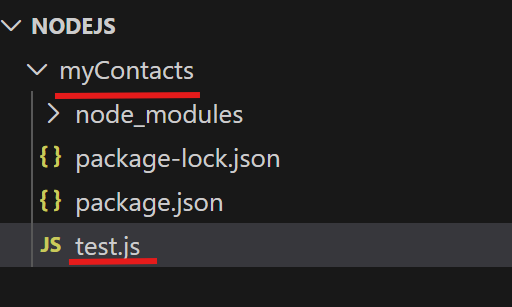
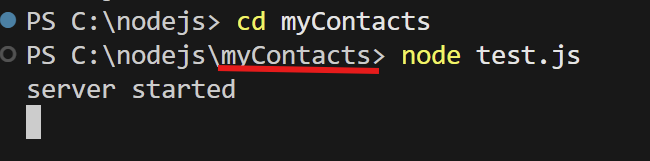
이렇게 오류가 나면 현재 경로를 확인해보기!

🟢서버에 요청을 보내기

서버에 요청을 보내기 -> localhost:3000
server 응답 -> request received (성공!)
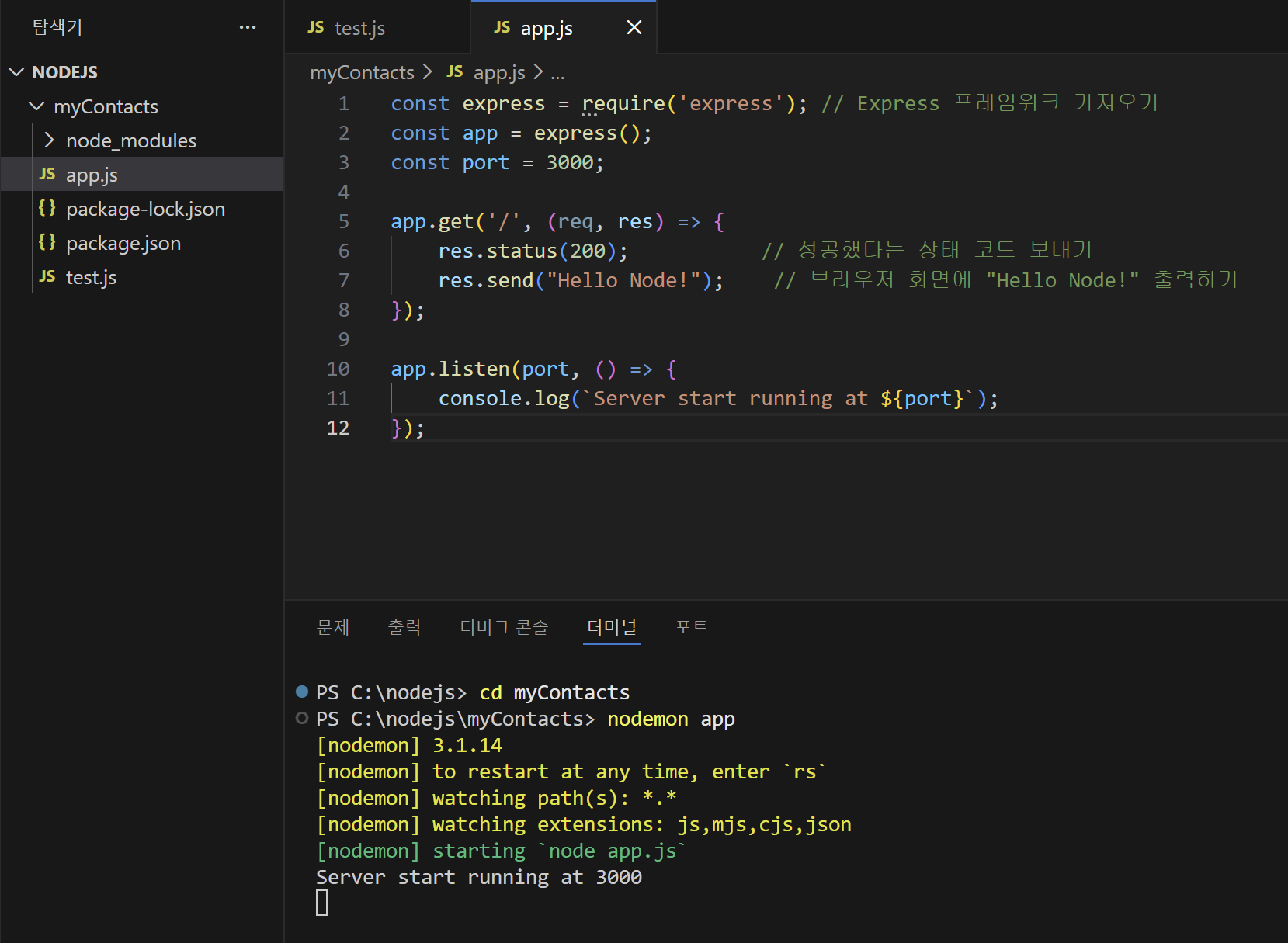
app.js라는 파일 만들기
(package.json에서 시작파일로 설정하였기 때문에) app.js 파일 생성 후 코드 붙여넣기
const express = require('express'); // Express 프레임워크 가져오기
const app = express();
const port = 3000;

app.get('/', (req, res) => {
    res.status(200);           // 성공했다는 상태 코드 보내기
    res.send("Hello Node!");    // 브라우저 화면에 "Hello Node!" 출력하기
});

app.listen(port, () => {
    console.log(`Server start running at ${port}`);
});
nodemon app로 서버실행하기
nodemon app
✨실행화면
----------------------------------------------------------------------------------------------------------------
----------------------------------------------------------------------------------------------------------------
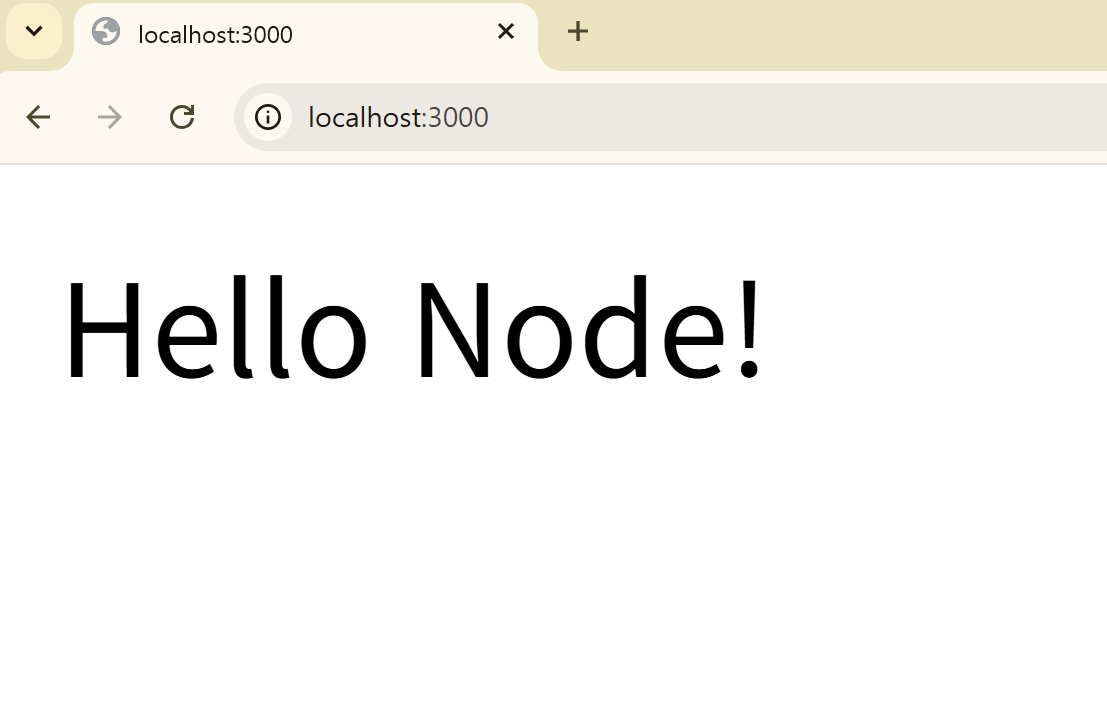
결과화면
'설치 메뉴얼' 카테고리의 다른 글
| Processing 설치 (2) | 2025.10.13 |
|---|---|
| 오라클 설치 (0) | 2025.09.08 |
| ANACONDA 설치하기 및 환경 설정하기 (0) | 2025.03.08 |
| Flutter 설치 (0) | 2024.11.19 |
| 인텔리J 자동 임포트, 빌드 설정 (0) | 2024.10.21 |